Building an effective capture solution – Part 3 of 3 (Storage/Business Policy/Workflow)
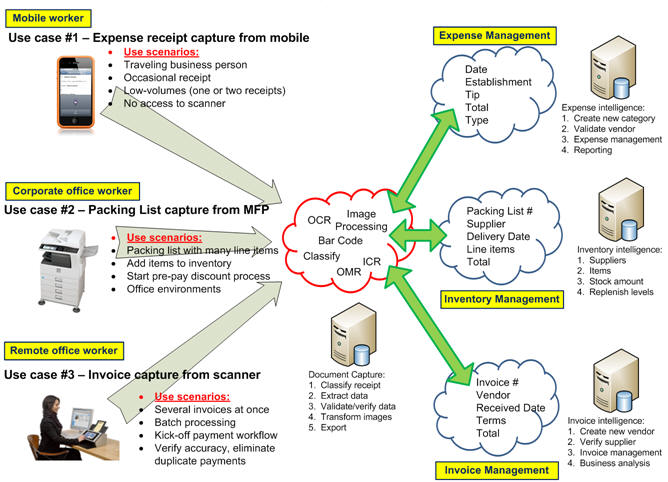
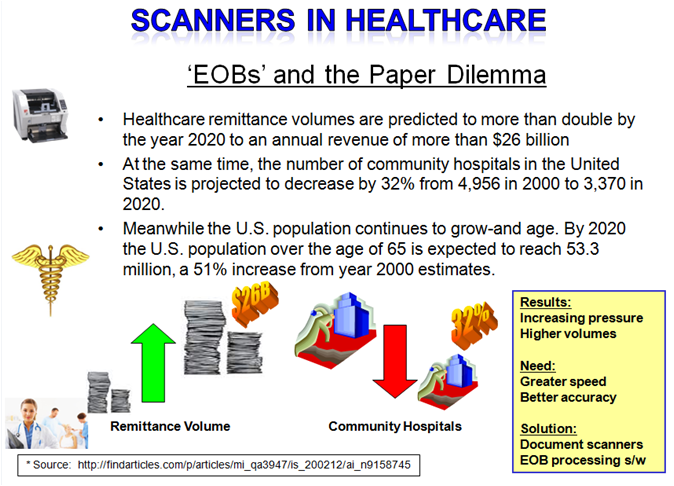
The real value of capture is realized when the information extracted from images is used within a business process whether this information is used, for example, to kick-off an approval process for expense reports, or this information is a Social Security Number used to retrieve your medical records. The ‘index values’, ‘metadata’, or ‘tags’ (whatever) you would like to call these extracted keywords help create the workflow that helps make processes more efficient. After all, an image itself without recognized characters, numbers or words is useless to a computer for knowledge of what information is contained on the document. It’s the information on the document that is of most importance, not just the image.
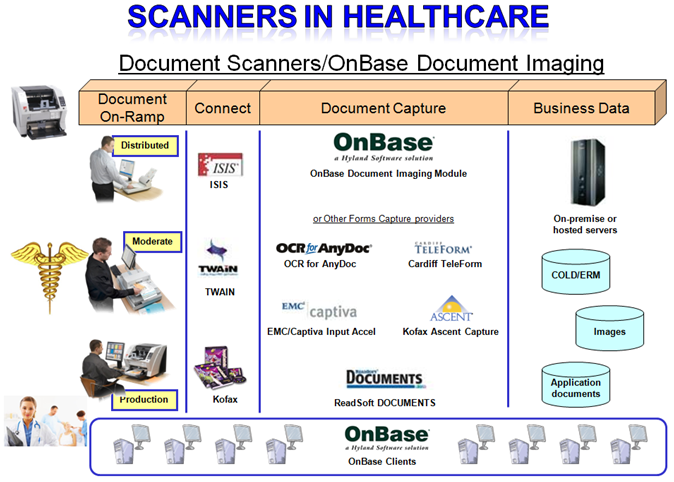
These days there are many great storage options for images and metadata captured but not all are created equal. Below are a few considerations for storage as it directly relates to document capture.
Storage considerations for document capture applications:
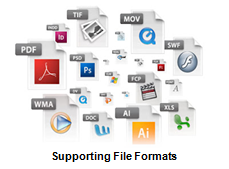
- Does your storage, and image viewer, support well known document formats such as TIFF, PDF, PJEG, DOC, XLS and others as well as emerging formats such as PDF/A or XML? A universal viewer that supports a wide range of formats is preferable because you never know how requirements might change in the future. Also, you might want to consider a viewer that allows for annotation, or markup, of images with items such as sticky notes, highlighting or shapes if your process requirements dictate these needs.
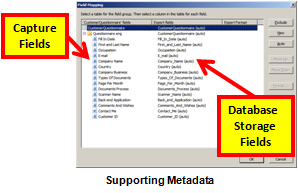
- The capture process is all about extracting metadata from images so, therefore, does your storage provide a metadata framework in which you can store this information to enhance search and retrieval? Basically this means does the storage provider offer a method to map captured index fields to database storage fields.
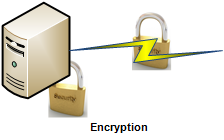
- Security. Of course security should be a major concern if your information is not intended for public consumption. While it’s an important issue, in general, if you ensure three simple features of your solution then you will address 80% of potential problems: (1) Secure disk-wiping of temporarily image files, (2) Encrypt data in motion and (3) Encrypt data at rest. Of course these are not the only three items to consider but start with these and research other security techniques based on the sensitivity of your information.
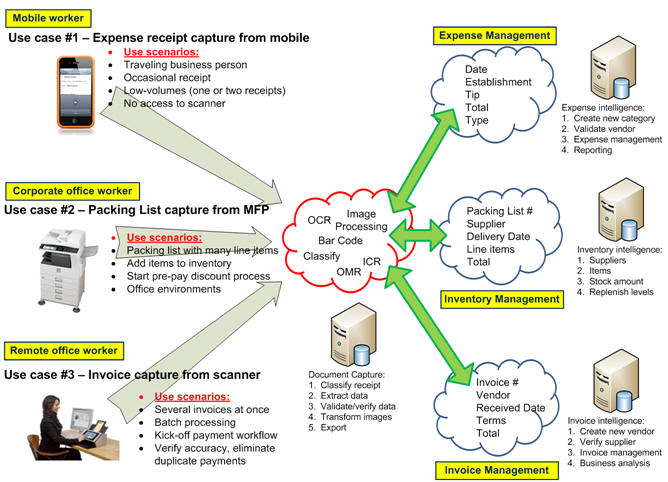
Now that we have covered two of three basic components of ‘Building an effective capture solution’ which included User Experience and Processing and having just outlined some Storage considerations, we should focus on the main theme of these posts and this is the point that ‘Capture begins with process‘. In other words, and as I stated in the prelude to this series of blog posts, before considering all the technology and architectural options you should careful consider the business process or process workflow first. Capture does not begin with a scan of a paper or picture of an image from a smart phone, it begins with process.
Below are a few considerations of business applications providers as it relates to document capture specifically:
Business rule considerations for capture:
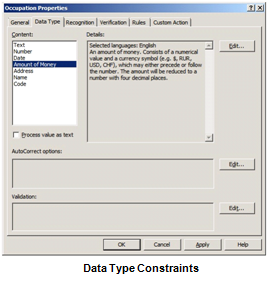
- Data Type constraints. If the field is a ‘Date’ field then restrict the data in this field to only date values. Or if the field is a ‘Social Security Number’ or ‘Phone Number’, then, naturally, allow only number instead of letters. Conversely, if the field is a ‘Name’ field then the data type should only allow for letters instead of numbers.
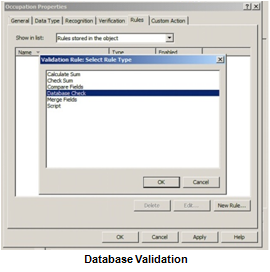
- One of the greatest ways to ensure business continuity, as well as reduce errors in your document capture solution, is to perform database validation. In other words, when a particular piece of information, such as a Phone Number, is extracted from a document then a database lookup is executed to match that the Address field corresponds with the Phone Number field. If it doesn’t, or there are multiple matches, then the capture workflow can automatically send the information to a validation station where a human will verify the correct data. This helps to achieve the highest level of accuracy.
- Handling exceptions is a critical, yet often overlooked part of the overall capture strategy. We all hope our system works 100 percent perfect but this is just not reality for many reasons. After all, there are a lot of moving parts in these types of solutions: People, process, hardware, software, client, server, etc. Be prepared, and actually expect the fact that ‘things’ will happen. Try and define the possibilities. For example, if you are automatically classifying documents, expect that the system will have unrecognized documents and be prepared to send those to an exception queue for manual classification. Consequently this is also a great opportunity to ‘tune’ the system by adding a classification technique to recognize this document type in the future. It’s an opportunity to create a process to improve the system accuracy over time from an activity that might have been perceived as a negative had exceptions not been considered.
Now that we have discussed some of the high-level concepts of building an effective capture solution, I invite you to dig a bit deeper into specifics of each area of interest to you. We have many educational articles to supplement each of these three components of a solution including some of the following:
Building an effective capture solution:
Part 1 of 3 (User Experience/Device/Interface): Network scanning, mobile, multistream/color dropout
Part 2 of 3 (Capture/Processing/Transformation): High resolution scanning, forms processing, As a Service
Part 3 of 3 (Storage/Business Policy/Workflow): SharePoint, cloud computing, taxonomies/metadata
Finally, if I could leave you with one bit of advice, or wisdom, from my industry experience is that in order to build a highly effective capture solution you should reverse-engineer the solution starting from the process and, ultimately, the choice of device and other considerations should be fairly obvious. Not device to process. Start by defining the process then build accordingly. This will ensure the highest level of success, efficiency and high user adoption.