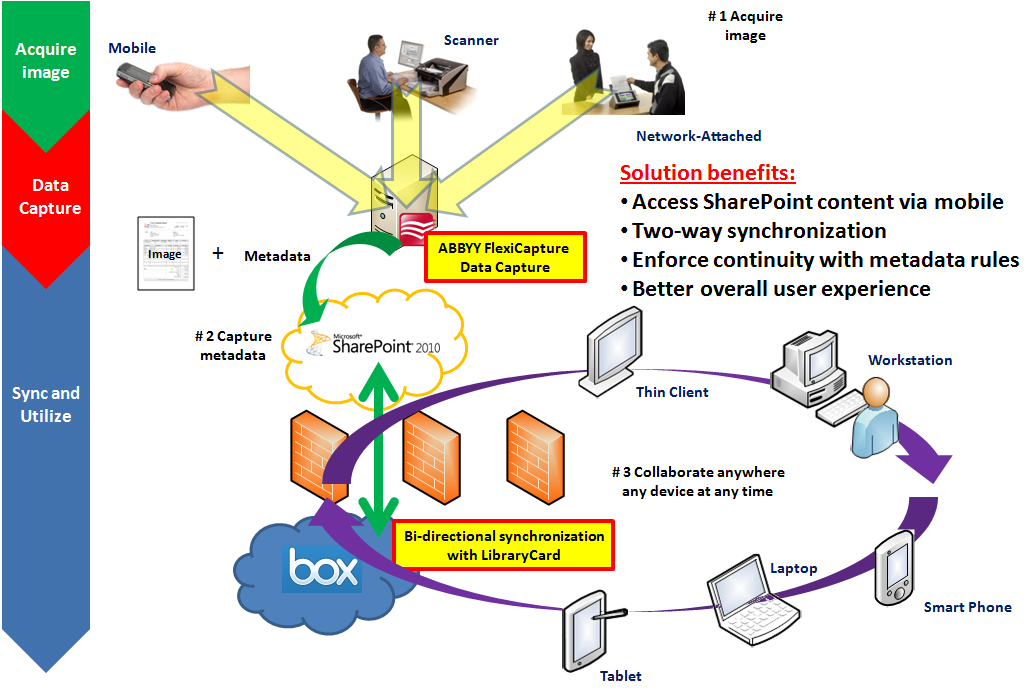
Use Case: Your organization has installed SharePoint behind the corporate firewall to manage and organize your electronic content. Also, your organization is actively digitizing paper documents via document scanners and, as a compliment to scanning to improve efficiency, desires to use Automatic Data Capture software technology to extract pertinent information from an invoice such as invoice number, bill to, ship to and total. However, in this ever-evolving world of on-the-go and mobile you find yourself and your fellow co-workers on the road quite often which is problematic due to poor support of mobile devices when using SharePoint. In this case you will want to be able to view, as well as contribute content to SharePoint using a highly-collaborative and easy to use service such as Box which has outstanding mobile device support.
Category: Presentations
Box and System of Record ECM with Cloud Conversion
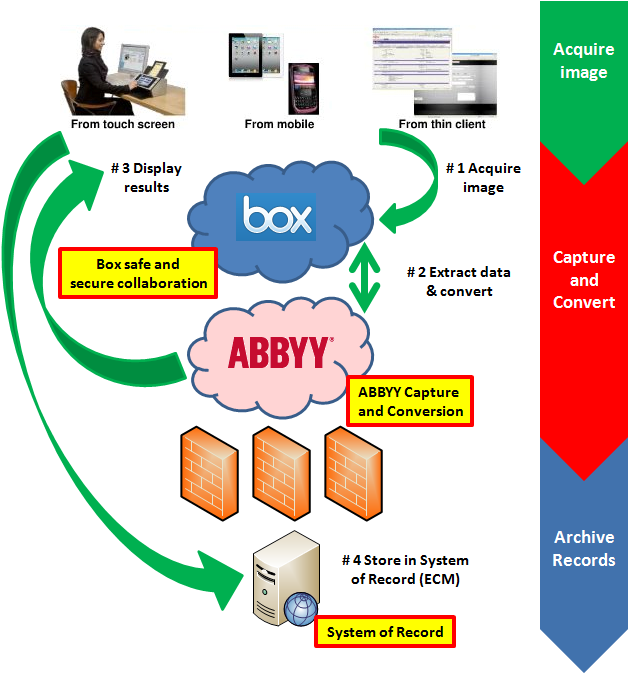
Use Case: Enterprise Content Management (ECM) systems, or probably a better description, Systems of Record have a long heritage of providing niche functionality that allows organizations to effective access via search, securely retain and destroy with retention schedules and enforce business policy with governance rules. Your organization desires to utilize all the benefits of the System of Record, yet you also want to encourage collaboration among your users because you know there are many business processes that involve sharing of information on a particular piece of content before it needs to officially enter the ECM as a “record” pharmacieviagra.com. The best solution to offer both a solid ECM solution as well as a highly collaborative environment is to use Box outside of your corporate firewall to enable users to efficiently share information, then once the content needs to enter the ECM you can either have the ECM system monitor a watched folder and bring it in, or you can have your users declare a record and push it immediately into the SOR.
Exploiting Big Data with Indexes
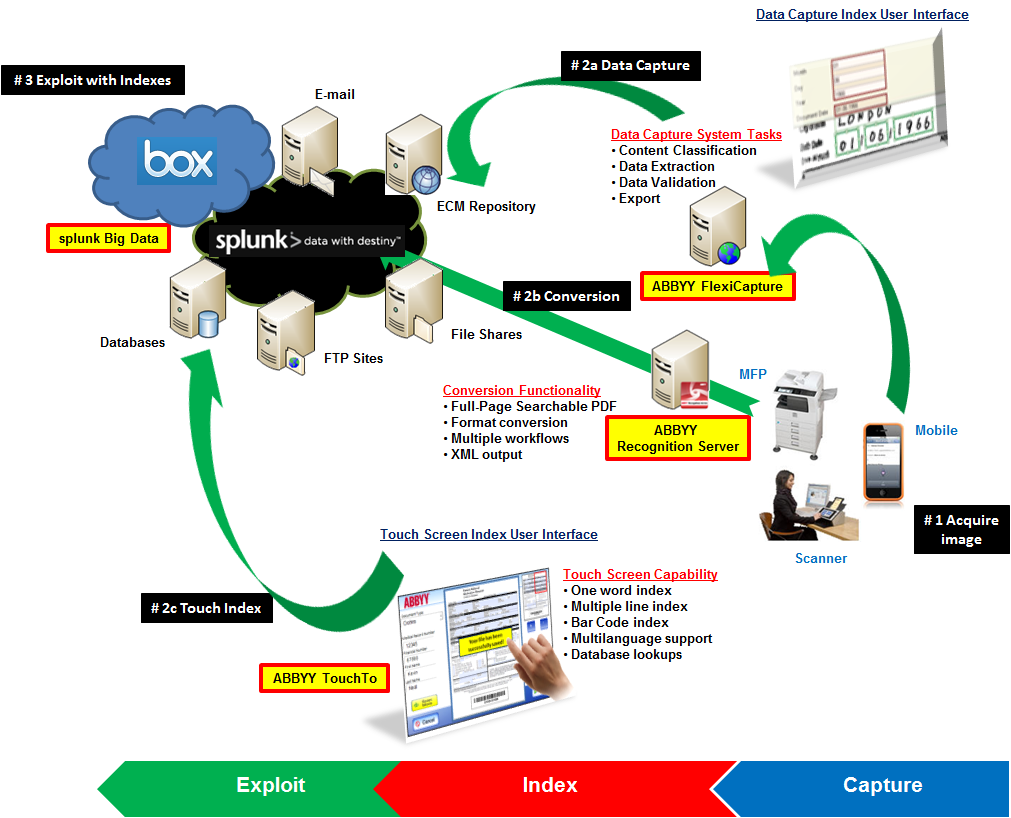
Use Case: In today’s business environment, more than ever, it’s simply not good enough to be average. Organizations of all sizes have to strive to create competitive advantages, understand trends and gain better insight into operational efficiency. One of the most useful techniques to accomplish these goals is to Exploit Big Data through analysis. However, this is challenging due to the volume, velocity and variety of content that must be analyzed. Image-only files are useless in data analysis. Therefore, in order to take the all-important first step in exploiting all of your content is to apply indexes so that computer systems can properly begin to understand the information.
Fujitsu fi-6010N network scanner Job Menus
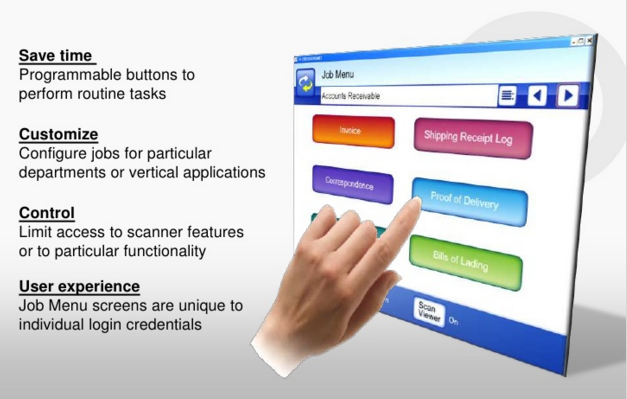
This was a video that I wrote the script and narrated about the Fujitsu fi-6010N network scanner Job Menu functionality. This was a feature that we incorporated into the device after the initial product launch based directly on customer feedback. This was a very popular feature because it allowed for an easy level of customization on the touch screen. The screens could be configured based on user login credentials. This customization could be on the device itself, or it could be configured on the Central Administration Server and then pushed out to all the scanners on a network.
Easy setup with the Fujitsu ScanSnap fi-6010N network scanner
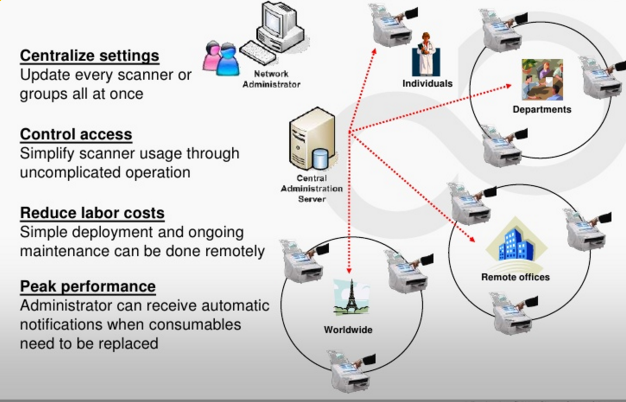
This was a video script I wrote and narrated to show how simple and easy it was to literally unbox and configure the Fujitsu fi-6010N network scanner on a network. It just took some basic networking knowledge to configure the device. Our engineers did a great job to make it as painless as could be. Believe me, I’ve had experience with other devices and there were not nearly as simple!