A question and answer session on the topic of Network Scanning:
Q. Is network scanning currently taking any particular market “by storm” when compared to other scanning options?
A. Network scanning is being embraced and deployed in a range of vertical markets. While there seems to be a healthy balance of markets deploying network scanners, we’re noticing that the traditional markets that have invested more in scanning and enterprise content management, like Healthcare, Finance, Accounting, Legal and Transportation, are also quicker to the draw when it comes to implementing network scanning solutions. This is simply because of the network infrastructure they already have in place. However, we’re still seeing a strong adoption rate across many vertical markets to assist in business process management securely in a controlled environment and to achieve improved efficiency.
Q. What new features and functionalities (if any) are being added to network scanners that make it an appealing option?
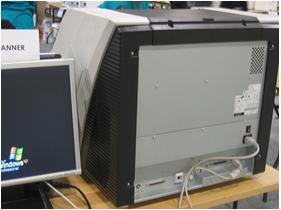
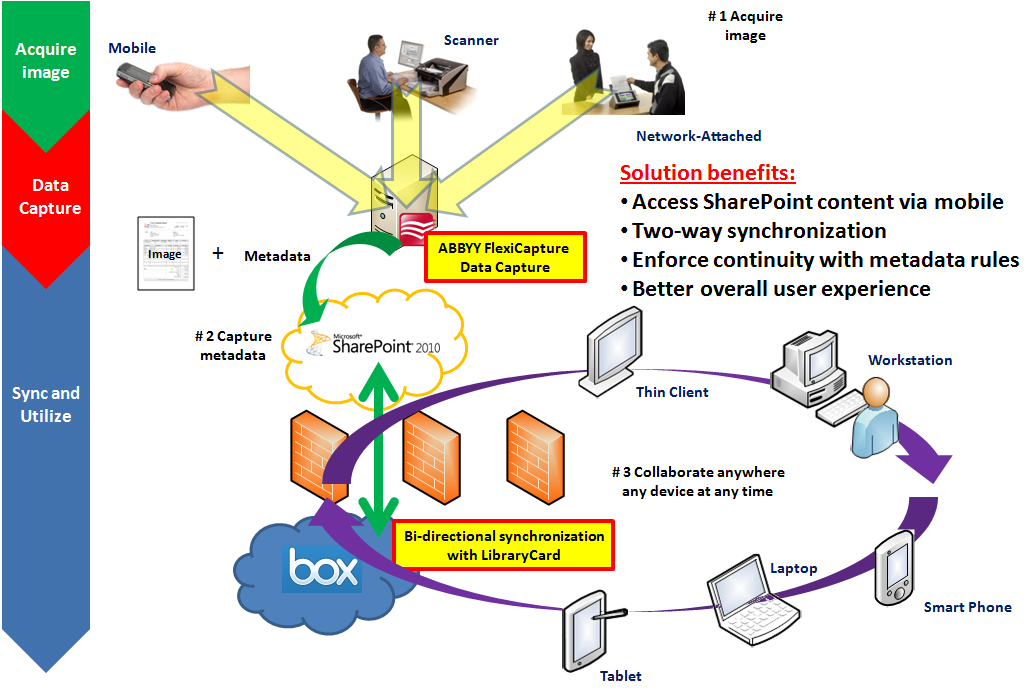
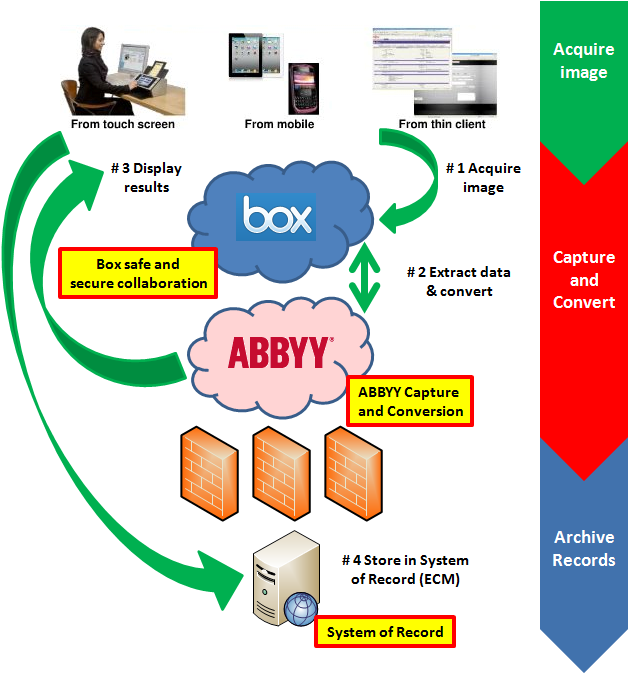
A. Some of the key features of network scanning devices that are making them so appealing are based on the “user experience”. True adoption of a technology begins to gain momentum when the actual users of technology enjoy the experience of using a particular product. In the case of network scanners specifically, users overwhelming comment that a large touch screen display makes them comfortable with using a device. The learning-curve is minimal with a bright touch screen display which encourages either additional usage by a particular person or encourages usage by additional persons in a departmental environment because there is no training involved. The user-friendly touch screen is complimented by a full 101-keyboard for additional ease of use. Users can simply scan images then enter an e-mail address and type other information in the subject or body of the e-mail message. In addition, software integration with back-end Enterprise Content Management (ECM) and Line of Business (LOB) is certainly creating additional appeal for network scanners. Now, users and IT departments have the option to either use standard functionality such as Scan to Folder, Scan to Fax, Scan to Print or Scan to E-mail, but they also have the option to Scan, Index and Store directly to an ECM repository with the properly Add-In Module installed.
Q. Why would VARs want to offer network scanners as a part of a comprehensive ECM strategy? Please explain your answer.
A. VARs can absolutely capitalize on the explosive growth of the network scanner market. As part of an ECM strategy, a network scanner is just one piece of the solution, although a very important piece. The quality of the image is vital to other complimentary technical processes directly related to the electronic document. Capture techniques such as Bar Code Recognition, Searchable PDF creation or Optical Character Recognition (OCR) accuracy are either greatly enhanced or can possibly cause additional manual correction which is directly a cause and affect specific to image quality. Value-Added Resellers in the ECM market, in particular, understand the importance of the quality of a Dedicated Use Device such as a network scanner in comparison to other network scanning peripherals available in the market. Through a thorough understanding of the quality differences between dedicated scanning devices from other multifunction devices, a VAR in the ECM space has already set themselves apart from their competitors and they can leverage this expertise into the network scanner market. There are many appealing factors for VARs to offer network scanners as a part of a comprehensive ECM strategy. First, quality network scanners are easy to deploy. With a basic understanding of network concepts which involve things as straight-forward as knowing IP addresses or host names of servers, either the VAR or even end-customer themselves can have a network scanner up and running in literally minutes. Second, quality network scanners are easy to manage, maintain and update. Software utilities such as ‘Network Scanner Admin Tools’ allow authorized persons to access the network scanner remotely to view usage, update software or even change system configurations. With a traditional desktop scanning workstation this is not easily done or would require additional software of configuration. In short, network scanners are easy to deploy, simple to use and require very little maintenance.
Q. Is network scanning more suited to any particular market? Is it excluded from any particular market?
A. Anywhere paper exists is an opportunity for network scanning – there is no particular market that cannot benefit from this technology. Network scanning helps accelerate all the traditional benefits found in scanning and ECM solutions, including enhanced business processes by eliminating lost or misplaced documents, decreased costs by enabling quick business process because of minimal human labor involvement, increased revenue for certain vertical markets such as being able to take advantage of pre-pay discounts in an invoice processing application, improved environmental consciousness by eliminating paper and thus our reliance on trees.
Q. What are the specific advantages (and disadvantages) to selling network scanners?
A. Selling network scanners provides opportunities for VARs and System Integrators to engage their customers in a discussion about their business processes. Resellers should embrace this opportunity to work closely with the end-customer to identify areas to improve their overall business operation. By thoroughly evaluating and taking inventory of the customer’s existing network infrastructure it is very possible to find either missing components such as servers and server software that may be needed to enhance the system. In addition, there is a possibility to offer the customers either consulting or professional services in order to properly implement the right solution for their specific business. Selling network scanners should not be considered a “cut and run” business proposition. VARs that understand this will be extremely successful. One of the potential disadvantages involved is if your network scanner itself is difficult to configure then the labor costs of just getting the device communicating on the network could far outweigh the potential profit involved in a particular installation. Network scanners present a wide range of functionalities and options as compared to simple stand-alone scanners, therefore understanding the capabilities involves a well-rounded understanding of network concepts and not just document scanning and capture. Having a solid understanding of document capture as a foundation will serve those who wish to embrace network scanners
Q. What are some common pitfalls VARs run into when selling/implementing network scanners?
A. I think a common misconception among VARs is that since a network scanner is a complete solution there isn’t an opportunity for add-on sales. In other words, since a network scanning device includes embedded software with scanning functionality there is no computer to sell or capture software to install or configure. While this may sound like it’s limiting the VARs ability to maximize their sales opportunity, I think just the opposite is true if you approach opportunities the right way. A network scanner is typically being deployed as part of a solution these days. Although network scanners can be used in an ad-hoc fashion, most of these devices offer advanced scanning features and intelligent functionality from years of document scanning experience and are used for daily business activities. Therefore potential add-on sales could include an on-site service contract to ensure maximum uptime. Also, as an example, if the customers’ network currently lacks a network fax server or LDAP (Lightweight Directory Access Protocol) authentication server then this would require additional investments in hardware, software and configuration.
Q. What are the most recent innovations in network scanning that VARs should be aware of? (In other words, what is different in the hardware – or market – compared to 12-18 months ago?).
A. There have been some significant innovations in the network scanning market over the past 12-18 months. This includes hardware innovation as well as software innovation. For starters, as some of the traditional leading document scanner vendors are starting to enter the network scanner market, they are bringing the technology and innovation that helped establish themselves as leaders in the first place. To illustrate some of the special software differences, I’ve include the Automatic Page Rotation feature where the scanner can flip the page to the right-side up direction. This particular feature is found in intelligent network scanners and will likely be missing from other simple network peripherals. Other advanced features include automatic color detection, where the scanner intelligently knows to save a particular scanned document in a black & white format to decrease file size or in color and automatic blank page deletion and automatic deskew and cropping to handle mixed size documents efficiently. With regard to hardware, some of the more advanced network scanner devices include an Ultrasonic Double-Feed Detection sensor to detect whenever two pages might accidentally be pulled into the document feeder at the same time and stop the scanning process for immediate correction. If capturing each page accurately is of critical importance then you can imagine how important this feature can be. Also, some network scanning devices have the capability to scan plastic cards directly through the automatic document feeder. This is extremely useful in certain vertical applications such as Hospital Admissions where ideally you would want one device in a reception area to capture paper documents as well as plastic identification cards and plastic insurance cards through one device in a small physical footprint.
Q. Are there any trends about network scanning you would like to share?
A. As I’ve mentioned in a few of the above questions, these dedicated use devices are loaded with intelligent and advanced features innovated from years of document scanning experience. I suspect that this trend will continue and most likely accelerate as the adoption of network scanners becomes more mainstream. Connectivity to third-party software systems will be possible with Software Developer’s Kits (SDK’s) and ease of use and manageability of these devices is appealing.